Update Device Firmware
In the Device module, you can manage and update the firmware of your devices to ensure they are running the latest version with all improvements and fixes.
To Update the Firmware of a Device
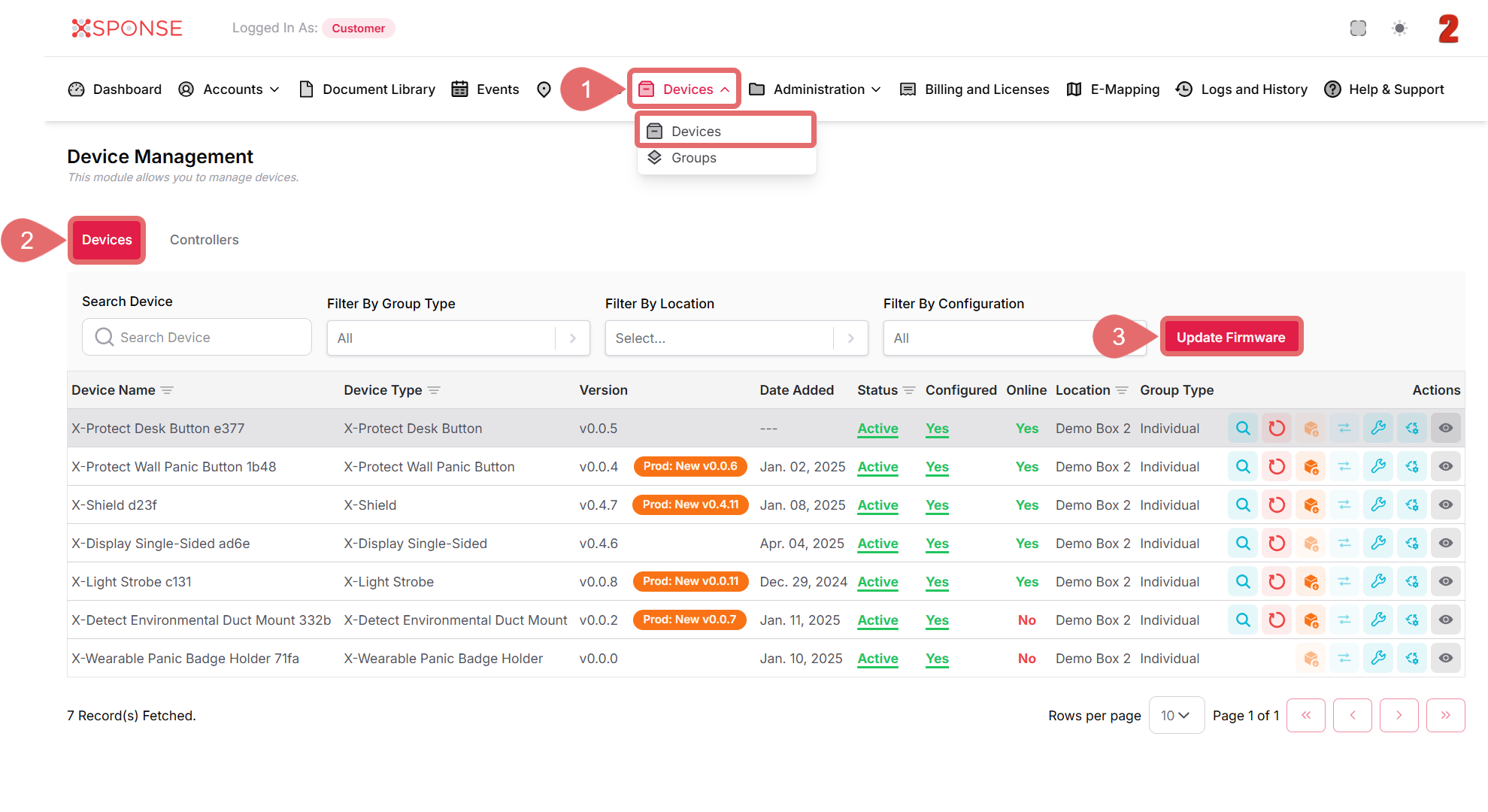
- Go to Devices > Devices in the main menu.
- Select the Devices tab.
- Click the Update Firmware button.
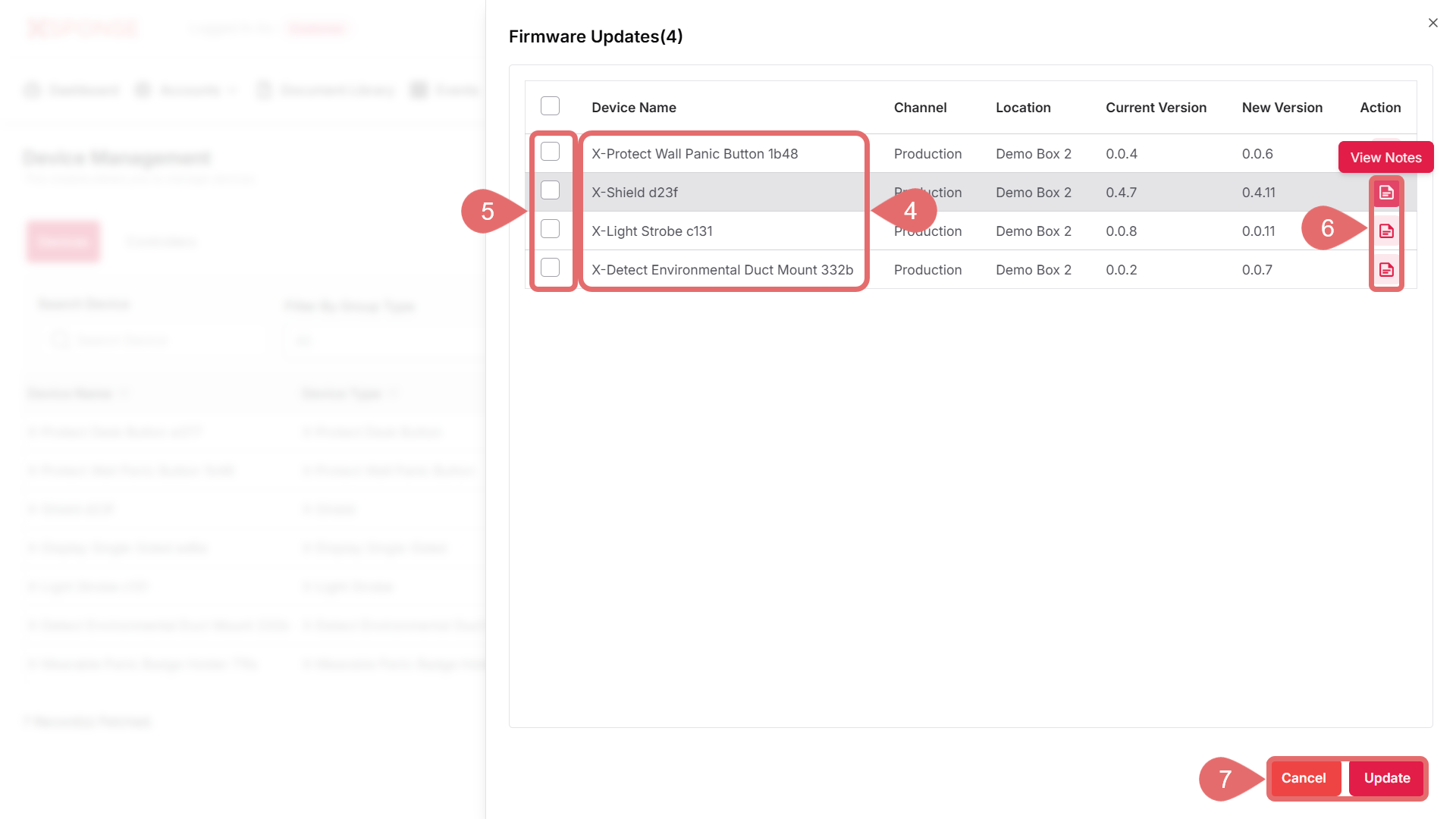
- In the device list, locate and select the device you want to update.
- Check the box next to the version you wish to install.
- (Optional): Click the View Notes icon if you want to review the release details.
- Click Update to proceed or Cancel to stop the update.
Important
Make sure the selected version is compatible with your device and that the update is performed in an environment with a stable connection to avoid interruptions.
See Also
To complement your knowledge of this process, check the following pages: